Visual Studio Code 1.119
Follow us on LinkedIn, X, Bluesky |
Release date: May 6, 2026
Downloads: Windows: x64 Arm64 | Mac: Universal Intel silicon | Linux: deb rpm tarball Arm snap
Welcome to the 1.119 release of Visual Studio Code. This release focuses on smoother agent interactions, enhanced observability, and more efficient trust and security controls.
-
Agent-browser interaction: Let agents discover and ask for integrated browser access.
-
Optimized token usage: Use a lightweight model to manage agent todo lists.
-
OpenTelemetry tracing: Monitor agent sessions with OpenTelemetry.
-
Trust and developer efficiency: Get less interrupted by requests for network access or temp folder writes.
-
Markdown preview: Quickly switch between Markdown source and preview.
Happy Coding!
Agent experience
Sharing browser tabs with agents
When agents can access a live browser, they validate changes in real time and iterate faster. For web development, an agent can edit code, reload the page, and confirm the fix in a single turn. For design workflows, the agent can compare rendered output against your intent and refine layout or styling on the fly. Get started with using the integrated browser with agents in VS Code.
An agent does not automatically have access to the integrated browser. You need to explicitly share browser pages with the agent for it to interact with them. This helps keep sensitive data private.
In this release, we've added new ways to share browsers with an agent:
Attach browser tabs as context
Browser tabs can now be explicitly attached to the chat via typical entry points such as suggested context, context picker, and drag-and-drop actions.
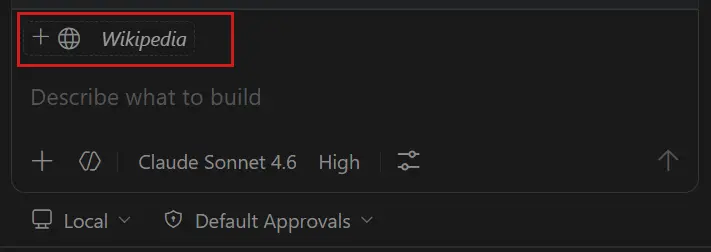
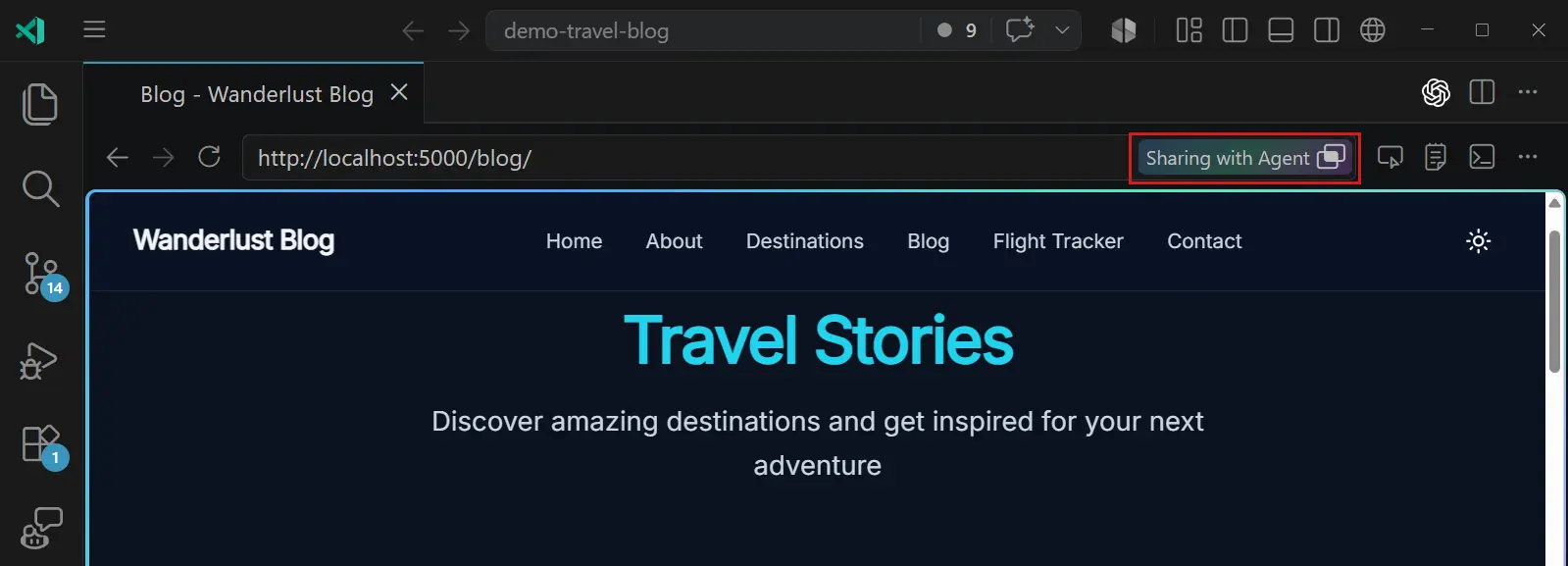
When a browser tab is attached, it enters a sharing state where the agent can read and interact with the page. Use the sharing button in the browser to stop sharing when you're done.
Agents-initiated requests to share a page
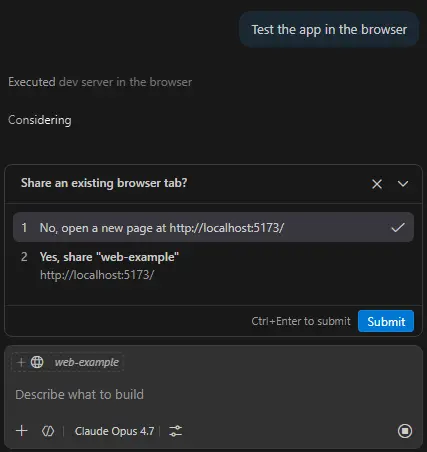
Agents now have information about how many browser tabs you have open and are not shared. They can request to share an open tab when they need to interact with a page, and you can approve or deny the request in a prompt.
When an agent tries to open a new tab on the same domain as an existing, unshared tab, a prompt appears to ask if you want to reuse the existing tab. This aims to encourage tab reuse and reduce clutter.
Visual Studio Code Agents (Insiders)
Note: Visual Studio Code Agents is currently in preview and only available with VS Code Insiders.
Visual Studio Code Agents is a companion experience that ships with VS Code Insiders. It provides a focused, agent-native environment where you can run parallel sessions across repos and iterate on multi-step coding tasks. We first introduced VS Code Agents in 1.115 and continue to refine it based on user feedback.
Updates in this release include:
-
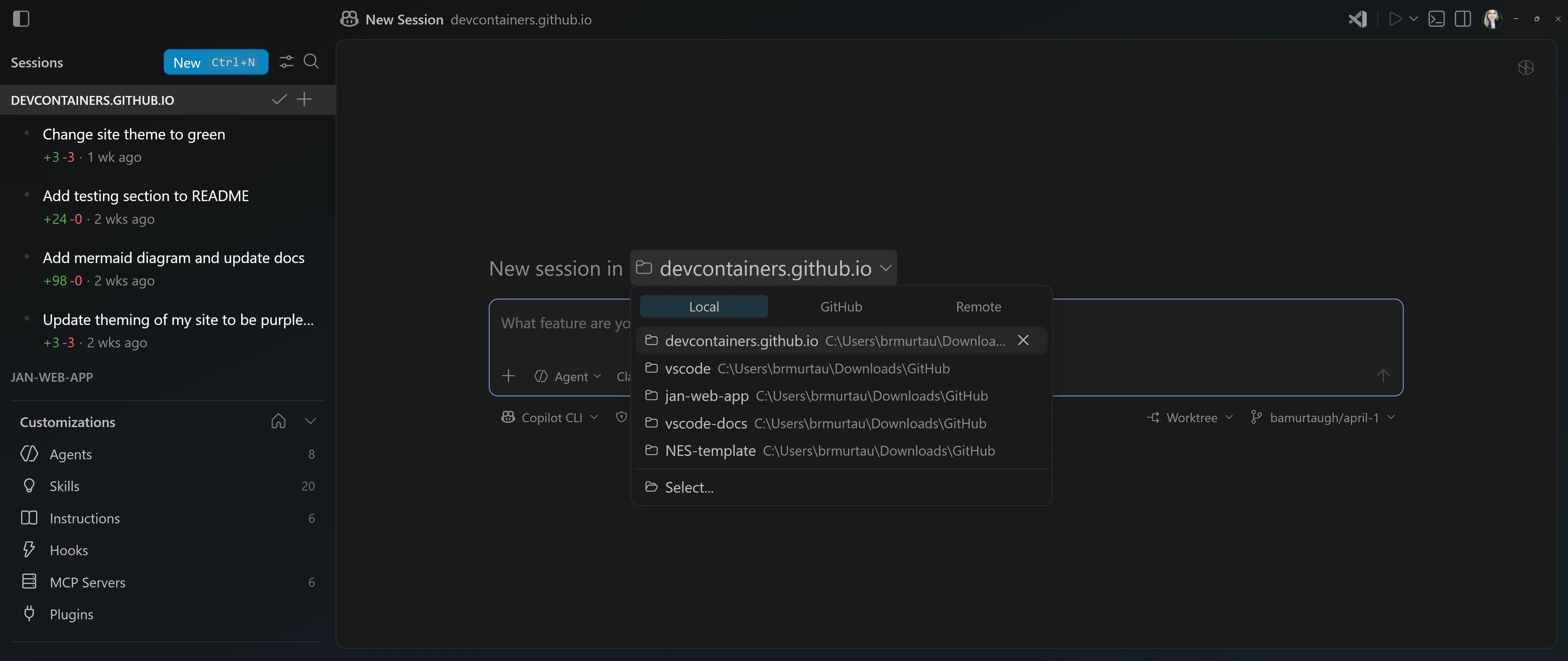
Redesigned new session repo picker: When you start a new session, you can now easily switch between local folders, repos, or remote options.
-
Sub-session improvements: Creating and managing sub-sessions continues to improve, with fixes in areas such as sub-session tabs and lifecycle handling.
-
Web and mobile polish: We continue to iterate on the Agents web client introduced in 1.118 to align the browser experience with the desktop experience. This includes improvements to the mobile experience, so that you can create and manage sessions and their changes from the browser of your mobile device.
-
Environment management and continuity: We continue investing in the connections between VS Code and Agents and evolving how the environment is managed. This continues to take shape in future releases.
-
Progress UX: When an agent is working on a task, its progress is now more visible, with rotating progress messages and border animations for the chat input box.
-
Developer joy: We're iterating on UX opportunities to spark developer joy, including a fun easter egg on the new session page. Enable sessions.developerJoy.enabled to see if you can spot it!
Your feedback helps us shape the Agents experience, so continue sharing it with us by filing issues in the vscode GitHub repo. You can also explore existing issues to see what others have reported and provide your feedback on specific topics.
OpenTelemetry tracing for agent sessions
Settings: github.copilot.chat.otel.enabled , github.copilot.chat.otel.otlpEndpoint
As agent sessions grow longer and more autonomous, understanding what the agent did, how long each step took, and where tokens were spent becomes essential for optimizing cost and debugging unexpected behavior. OpenTelemetry is the industry-standard observability framework.
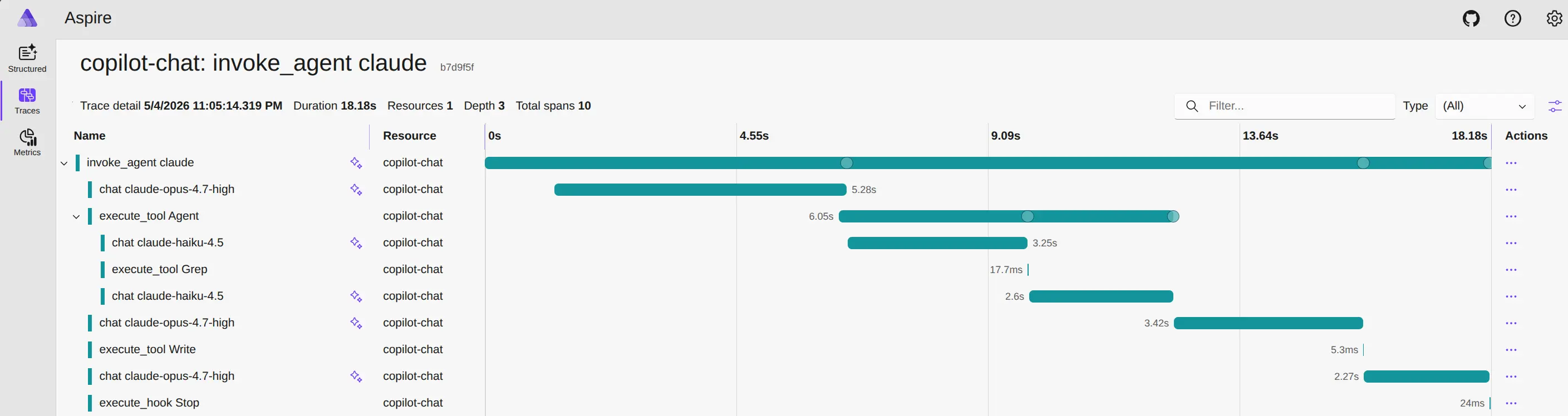
Copilot Chat agent sessions, including the local agent, the Copilot CLI background agent, and the Claude agent, now emit OpenTelemetry traces, metrics, and events that follow the GenAI semantic conventions, so you can monitor agent behavior, latency, and token usage in any OTLP-compatible backend (for example, the Aspire Dashboard).
Each user request produces an invoke_agent root span (for example, invoke_agent claude) with nested chat, execute_tool, and execute_hook child spans. Subagent invocations are automatically parented to the calling agent's execute_tool span, giving you full visibility into the agent's work in a single connected trace. Spans report model and token usage, including cache read and cache creation breakdowns.
To try it out, enable github.copilot.chat.otel.enabled and point github.copilot.chat.otel.otlpEndpoint to your collector.
Learn how to monitor agent usage with OpenTelemetry in the VS Code documentation.
Chat experience
Show model details for Copilot CLI and Claude agent responses
Setting: github.copilot.chat.agent.modelDetails.enabled
Knowing which model handled a response and how it counts against your usage helps you stay in control of cost and quality.
Copilot CLI and Claude agent responses in the Chat view now show the model and its multiplier on each response. The badge appears live as each response completes, without needing to reload the window, and updates when you switch models mid-session.
When you use Auto model selection in Copilot CLI, the badge displays the actual model that was used (for example, Claude Sonnet 4.6) instead of auto. The resolved model is also preserved when the session is rebuilt from history.
The behavior is enabled by default. To turn off the badge, disable the github.copilot.chat.agent.modelDetails.enabled setting and reload the window.
Optimized token usage for managing todo lists (Experimental)
Setting: github.copilot.chat.agent.backgroundTodoAgent.enabled
Todo lists help an agent stay on track during complex, multi-step tasks by giving it an explicit record of what's been done and what comes next. However, every tool call the main model makes to update a todo list costs tokens, and those costs add up across long sessions.
By offloading todo list management to a lightweight background agent, the main model can focus on the actual task while a smaller model keeps progress tracking in sync. This reduces overall token usage without sacrificing the guidance that keeps the agent focused.
When this setting is enabled, the background agent monitors main agent activity and updates the todo list to reflect completed and in-progress work. The main agent will not have the todo tool available, thus saving token cost for the conversations.
Note: If the todo tool is manually added to the chat request (for example with
#todo), or a custom agent specifies it in its tool list, the background agent is overridden and does not run.
This feature is disabled by default. To try it out, enable the github.copilot.chat.agent.backgroundTodoAgent.enabled setting.
Usage-based billing updates
GitHub Copilot is transitioning to usage-based billing starting June 1. In preparation, this release includes internal changes to the chat status dashboard, chat input notifications, and model picker to support displaying billing and credit information. These UI updates are not yet visible to users and will take effect when usage-based billing rolls out.
Trust and Security
Allow network access in agent sandboxes
Setting: chat.agent.sandbox.enabled This setting is managed at the organization level. Contact your administrator to change it.
Agent sandboxing protects your system by restricting what agent tools can access, but strict network blocking can get in the way when agents need to install packages, call APIs, or run dev servers.
The
chat.agent.sandbox.enabled
This setting is managed at the organization level. Contact your administrator to change it. setting now has an allowNetwork mode that keeps file system restrictions in place while removing network domain blocking, so you get sandbox protection without constant interruptions for network access.
"chat.agent.sandbox.enabled": "allowNetwork"
When network access is allowed for the sandbox, the chat.agent.allowedNetworkDomains This setting is managed at the organization level. Contact your administrator to change it. and chat.agent.deniedNetworkDomains This setting is managed at the organization level. Contact your administrator to change it. settings are ignored.
Learn more about agent sandboxing in the VS Code documentation.
Auto-approve writes to the temp folder for session-allowed commands
Setting: chat.tools.terminal.blockDetectedFileWrites
Frequent approval prompts for routine file writes can slow down agent workflows. When
chat.tools.terminal.blockDetectedFileWrites
is set to its default value of outsideWorkspace, terminal commands that write outside your workspace require approval, even if you selected Allow All Commands in Session.
Writes to the operating system temporary folder (/tmp on macOS and Linux, %TEMP% on Windows) are now exempt from this check when Allow All Commands in Session is active.
This means that common agent workflows that stage scratch files in the temp folder no longer interrupt the session, while writes to other locations outside the workspace still require confirmation.
Languages
Swap current editor to Markdown preview
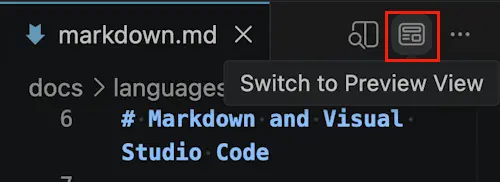
We've made it easier to switch the current editor back and forth to the Markdown preview. VS Code has had this functionality for a while, but it was often overlooked. These new buttons and commands make it much more discoverable.
In a Markdown file, select this button in the toolbar or run the Markdown: Switch to Preview View command.
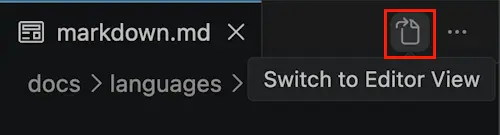
With the preview opened, you can select the Switch to Editor View button or command to swap back to the source code view.
Reorganized Markdown settings
To help you discover and manage settings for VS Code's built-in Markdown support, we've created a few basic groups for them in the Settings editor under Extensions > Markdown Language Features.
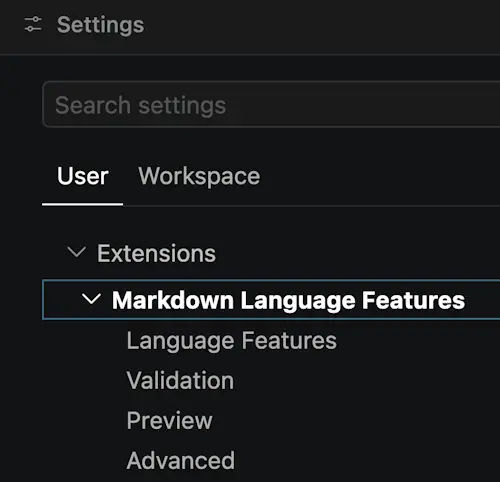
All setting IDs remain the same but now all the settings related to the built-in Markdown preview are listed under the Preview subsection.
Engineering
Finished migrating webviews to use CSS anchor positioning
VS Code's webviews now use anchor positioning to position themselves visually in the workbench. This improves performance and makes relayouts more responsive, especially if there are many active webviews. It also let us fix some tricky, long-standing bugs, such as webviews going out of position on web when the workbench was moved.
Here's a typical relayout call for a single webview before the switch to anchor based positioning:
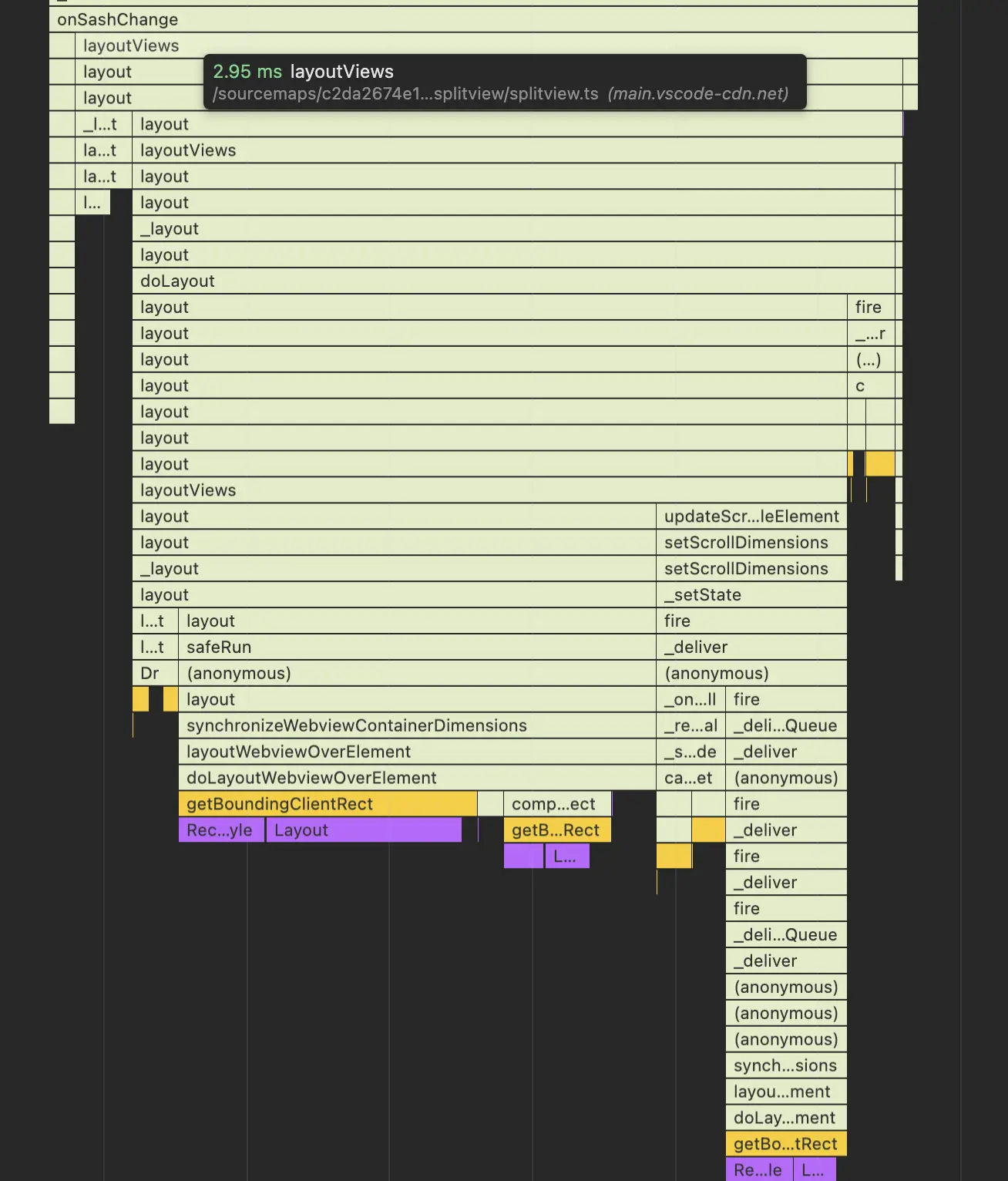
Positioning the webview here was done using JS, which called getBoundingClientRect. This call ends up being relatively slow because it triggers browser style recalculations and relayouts.
By moving to anchor based positioning, the browser now handles positioning the webview for us based on the CSS.
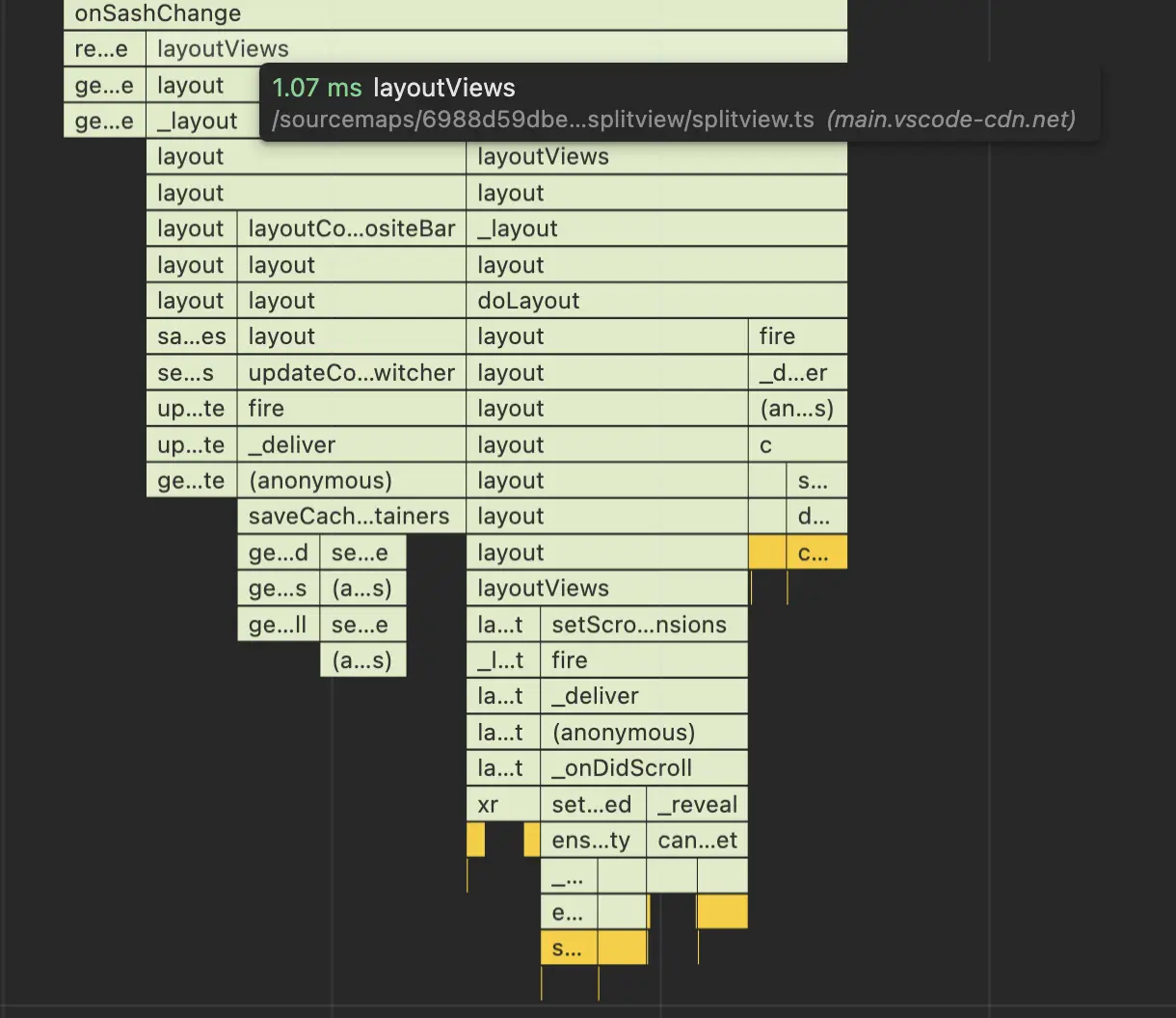
Typechecking now uses TypeScript 7 for faster development iteration
Last iteration we moved VS Code's main watch task to use TypeScript 7. This iteration, we finished the migration to use TypeScript 7 for all built-in extensions and core code.
By migrating the Copilot extension to use TypeScript 7, we cut the typechecking time from 22 seconds to 4 seconds. These dramatic speedups enable both developers and agents to iterate more quickly in the VS Code codebase.
Deprecated features and settings
New deprecations in this release
None
Upcoming deprecations
- Edit Mode is officially deprecated as of VS Code version 1.110. Users can temporarily re-enable Edit Mode via VS Code setting chat.editMode.hidden . This setting will remain supported through version 1.125. Beginning with version 1.125, Edit Mode will be fully removed and can no longer be enabled via settings.
Thank you
Contributions to our issue tracking:
- @gjsjohnmurray (John Murray)
- @RedCMD (RedCMD)
- @IllusionMH (Andrii Dieiev)
- @albertosantini (Alberto Santini)
Contributions to vscode:
- @64johnlee (john lee): fix: enable text selection in elicitation dialog markdown content PR #313730
- @aanil677: Fix minor grammatical issues in README PR #312480
- @AshtonYoon (Ashton Yoon): markdown: fix scroll sync regressions introduced in #287050 PR #307763
- @iideprived (Herbert Smith): debug: default triggered breakpoint picker to first breakpoint PR #313453
- @Jah-yee (RoomWithOutRoof): fix: resolve NoChangeError tool name interpolation and typo PR #309709
- @maruthang (Maruthan G): webview: respect default localResourceRoots for custom editors PR #312492
- @OrenMe (Oren Me): Add structured preview for markdown customizations PR #312545
- @shaypet: Add compareBranch to TitleAndDescriptionProvider for enhanced PR context PR #312326
- @xAndreiLi (Andrei Li): feat(plugins): allow component paths within repository boundary PR #308776
- @yemohyleyemohyle
- Yemohyle/add to telemetry PR #311837
- Yemohyle/add to ext telemetrey PR #313159
- @yogeshwaran-c (Yogeshwaran C)
- Add 'hint' and 'info' search keywords to editor.hover.enabled PR #313491
- Add 'pane' search keyword to editor group settings PR #313490
Contributions to vscode-pull-request-github:
- @mohamedamara1 (Mohamed Amara): Display linked issue(s) from the PR Overview #5824 PR #6835
We really appreciate people trying our new features as soon as they are ready, so check back here often and learn what's new.
If you'd like to read release notes for previous VS Code versions, go to Updates on code.visualstudio.com.