Logging
CIDER Log Mode allows you to capture, debug, inspect and view log events emitted by Java logging frameworks. The captured log events can be searched, streamed to the client, pretty printed and are integrated with the CIDER Inspector and Stacktrace Mode. Here is a screenshot of CIDER Log Mode in action.
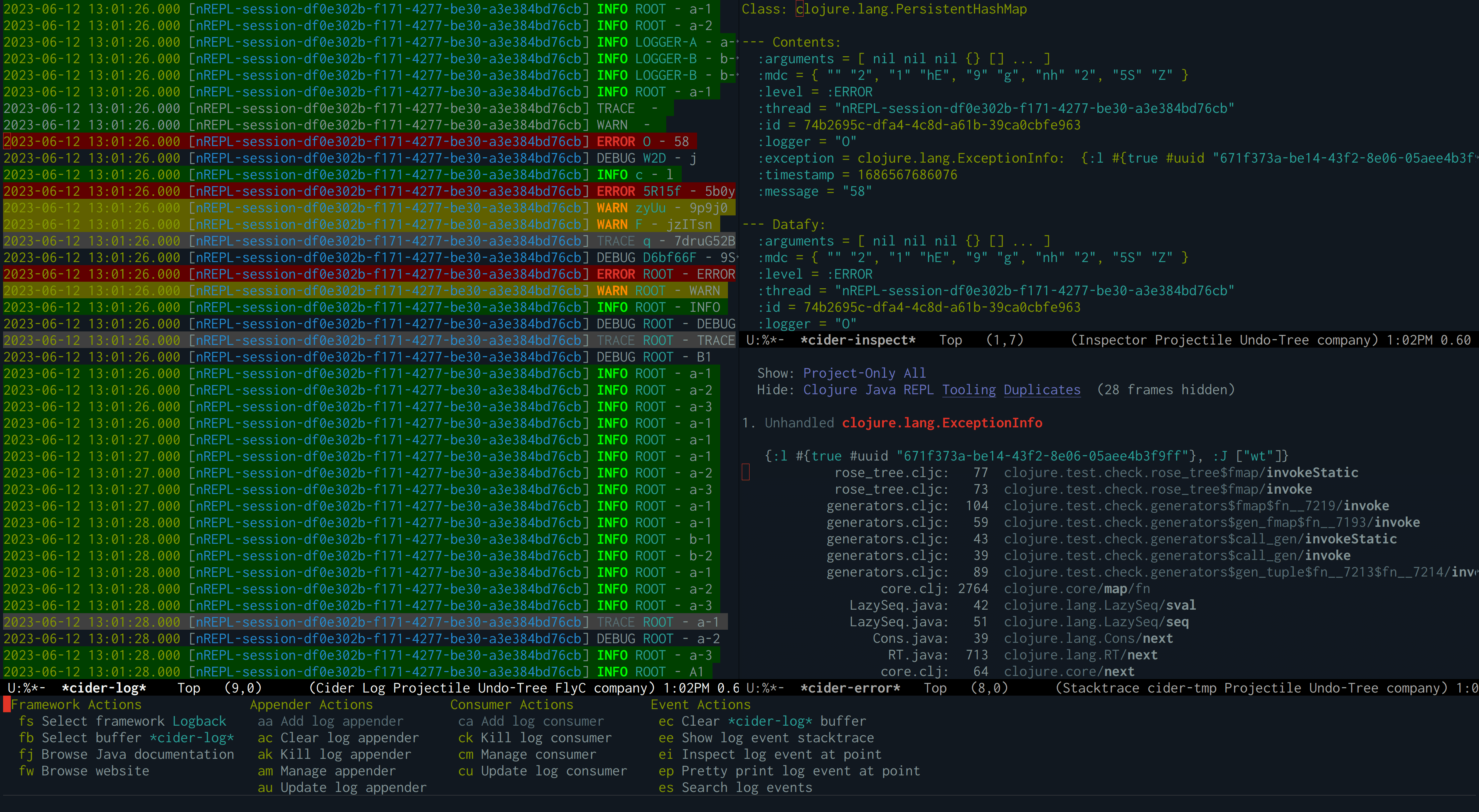
The screenshot displays the list of log events in the
*cider-log* buffer on the left. To the right, a log event is
visible in the *cider-inspect* buffer, where the exception of the
event is also displayed in the CIDER Stacktrace Mode. From the
Stacktrace Mode buffer you can jump to the source of each frame. At
the bottom the CIDER log menu is shown from which you can perform
logging related actions.
|
Features
-
Browse Javadocs and website of log framework.
-
Search log events and show them in buffers.
-
Pretty Print log events.
-
Show log events in the CIDER Inspector
-
Show log event exceptions in the CIDER Stacktrace Mode
-
Integration with logview
Dependencies
Logview is an optional dependency
of CIDER Log Mode. We recommend using it, since it is responsible for
coloring the log events and it provides other useful features, such as
syntax highlighting, filtering and more. It is used automatically when
available and its use can be customized via cider-log-use-logview.
Usage
To use CIDER Log Mode, type C-c M-l l or M-x cider-log in
any buffer that has a CIDER Sesman
session attached to it. The first time you run the command, it will
prompt you to select a log framework to use, and then attach a log
appender to the root logger of the selected framework. After the log
appender has been attached, the cider-log command will show a
Transient
menu, from which you can take further actions, like managing the log
framework, appenders, consumers and events.
To view log events and stream them to your client, type es
(Search log events) followed by s. This will open the
*cider-log* buffer showing any log events captured thus far. It will
also add a log consumer to this buffer, which receives newly-arriving
log events.
The *cider-log* buffer might initially be empty, and you may
see a No log events found message. This is because nothing has been
logged between adding the appender and searching for events. So, now
would be a good time to run some code that triggers a log event for
the selected framework.
|
Keybindings
| Command | Keyboard shortcut | Description |
|---|---|---|
|
C-c M-l l |
Show the CIDER log menu. |
|
C-c M-l f |
Show the menu to manage a logging framework. |
|
C-c M-l a |
Show the menu to manage appenders of a logging framework. |
|
C-c M-l c |
Show the menu to manage consumers listening to log events. |
|
C-c M-l e |
Show the menu to manage log events. |