Logging
CIDER Log Mode allows you to capture, debug, inspect and view log events emitted by Java logging frameworks. The captured log events can be searched, streamed to the client, pretty-printed, and are integrated with the CIDER Inspector. Here is a screenshot of CIDER Log Mode in action.
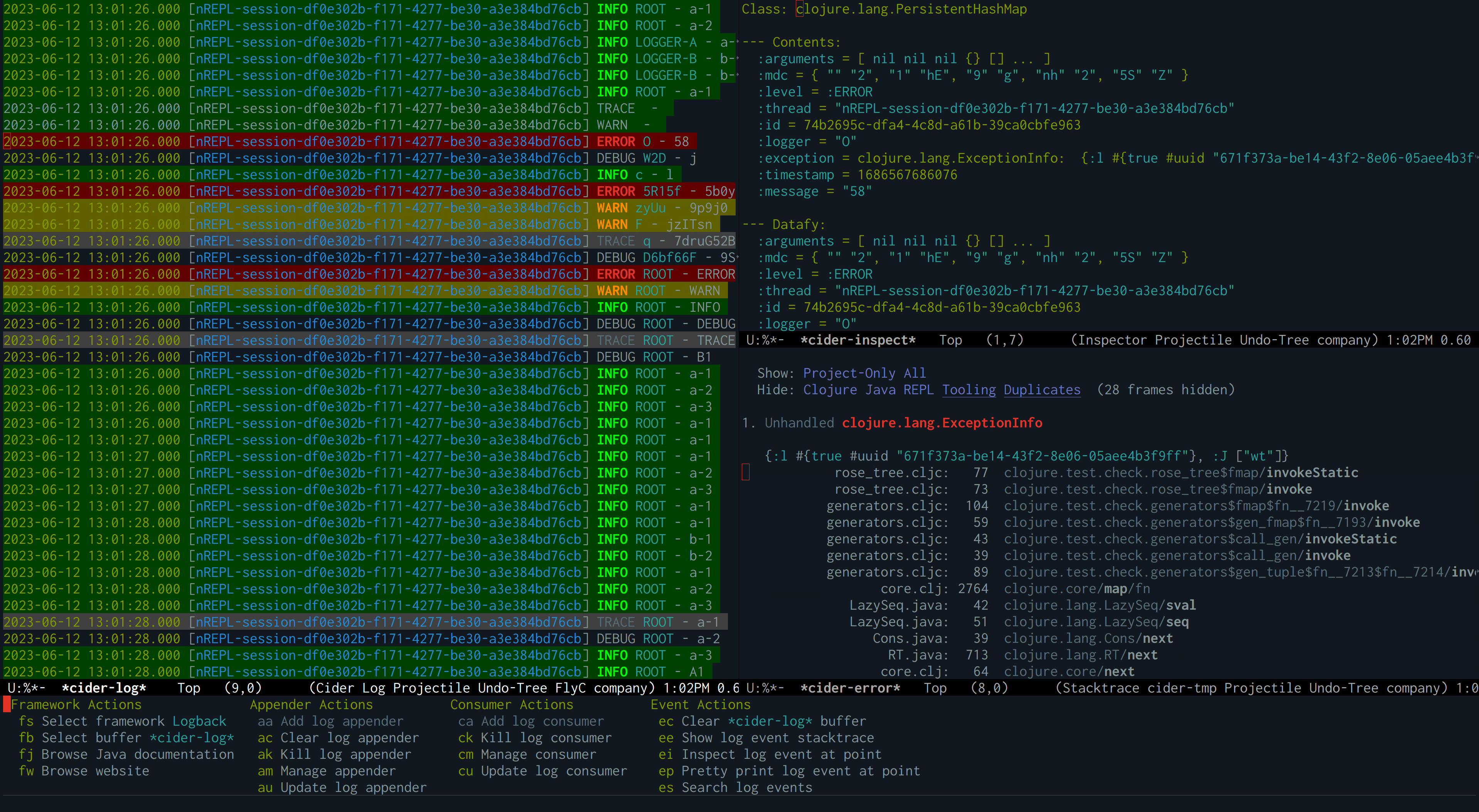
The screenshot displays the list of log events in the *cider-log*
buffer on the left. To the right, a log event is visible in the
*cider-inspect* buffer. At the bottom the CIDER log menu is shown from which
you can perform logging related actions.
|
Features
-
Browse Javadocs and website of the given log framework.
-
Search log events and show them in buffers.
-
Pretty-print log events.
-
Show log events in the CIDER Inspector.
-
Integration with logview.
Dependencies
Logview is an optional dependency
of CIDER Log Mode. We recommend using it, since it is responsible for
coloring the log events and it provides other useful features, such as
syntax highlighting, filtering and more. It is used automatically when
available, and its use can be customized via cider-log-use-logview.
transient-mode
It’s worth pointing out that most features and workflows of Cider Log Mode are based on transient-mode.
A transient menu is the following widget:
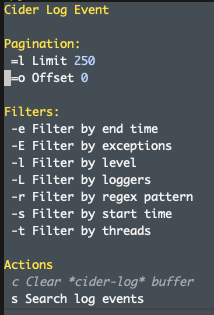
Its usage is mostly self-describing, since each command has its keybinding attached to the description.
Getting started
To use CIDER Log Mode, there two main ways to get started:
-
M-x cider-log-show-frameworks, to see the available logging frameworks. If your logging framework is supported but not shown, see the troubleshooting section. -
M-x cider-log-event, which uses transient-mode and will not immediately show the logs (you should use transient-mode to show the*cider-log*buffer) -
M-x cider-log-showis a newer function that intends to be an "all-in-one" command, intended for a streamlined experience, which can be useful to get started, or for casual usage.-
It doesn’t use transient-mode - it aims to do everything in one step
-