wx.GenericDragImage
This class is used when you wish to drag an object on the screen, and a simple cursor is not enough.
On Windows, the Win32 API is used to achieve smooth dragging. On other platforms, GenericDragImage is used. Applications may also prefer to use GenericDragImage on Windows, too.
To use this class, when you wish to start dragging an image, create a wx.DragImage object and store it somewhere you can access it as the drag progresses. Call BeginDrag to start, and EndDrag to stop the drag. To move the image, initially call Show and then Move. If you wish to update the screen contents during the drag (for example, highlight an item as in the dragimag sample), first call Hide, update the screen, call Move, and then call Show.
You can drag within one window, or you can use full-screen dragging either across the whole screen, or just restricted to one area of the screen to save resources. If you want the user to drag between two windows, then you will need to use full-screen dragging.
If you wish to draw the image yourself, use GenericDragImage and override DoDrawImage and GetImageRect.
See also
Drag Image Sample
 Class Hierarchy
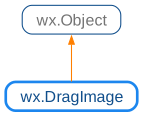
 Inheritance diagram for class GenericDragImage:
 Methods Summary
Default constructor. |
|
Start dragging the image, in a window or full screen. |
|
Draws the image on the device context with top-left corner at the given position. |
|
Call this when the drag has finished. |
|
Returns the rectangle enclosing the image, assuming that the image is drawn with its top-left corner at the given point. |
|
Hides the image. |
|
Call this to move the image to a new position. |
|
Shows the image. |
|
Override this if you wish to draw the window contents to the backing bitmap yourself. |
 Class API
Possible constructors:
GenericDragImage() -> None

GenericDragImage(image, cursor=NullCursor) -> None

GenericDragImage(image, cursor=NullCursor) -> None

GenericDragImage(text, cursor=NullCursor) -> None

GenericDragImage(treeCtrl, id) -> None

GenericDragImage(listCtrl, id) -> None
This class is used when you wish to drag an object on the screen, and a simple cursor is not enough.
 Overloaded Implementations:
__init__ (self)
Default constructor.
None
__init__ (self, image, cursor=NullCursor)
Constructs a drag image from a bitmap and optional cursor.
None
__init__ (self, image, cursor=NullCursor)
Constructs a drag image from an icon and optional cursor.
None